Pocket Room

A little room
for your desktop

Pin your photos, keep your to-dos, look after a pet and change the room whenever you like. It lives on your Mac, right behind your windows.

Mac soon soon

For Macs with an Apple chip, macOS 13 or later

Paid securely through Gumroad. Your receipt email brings the download and your licence key.

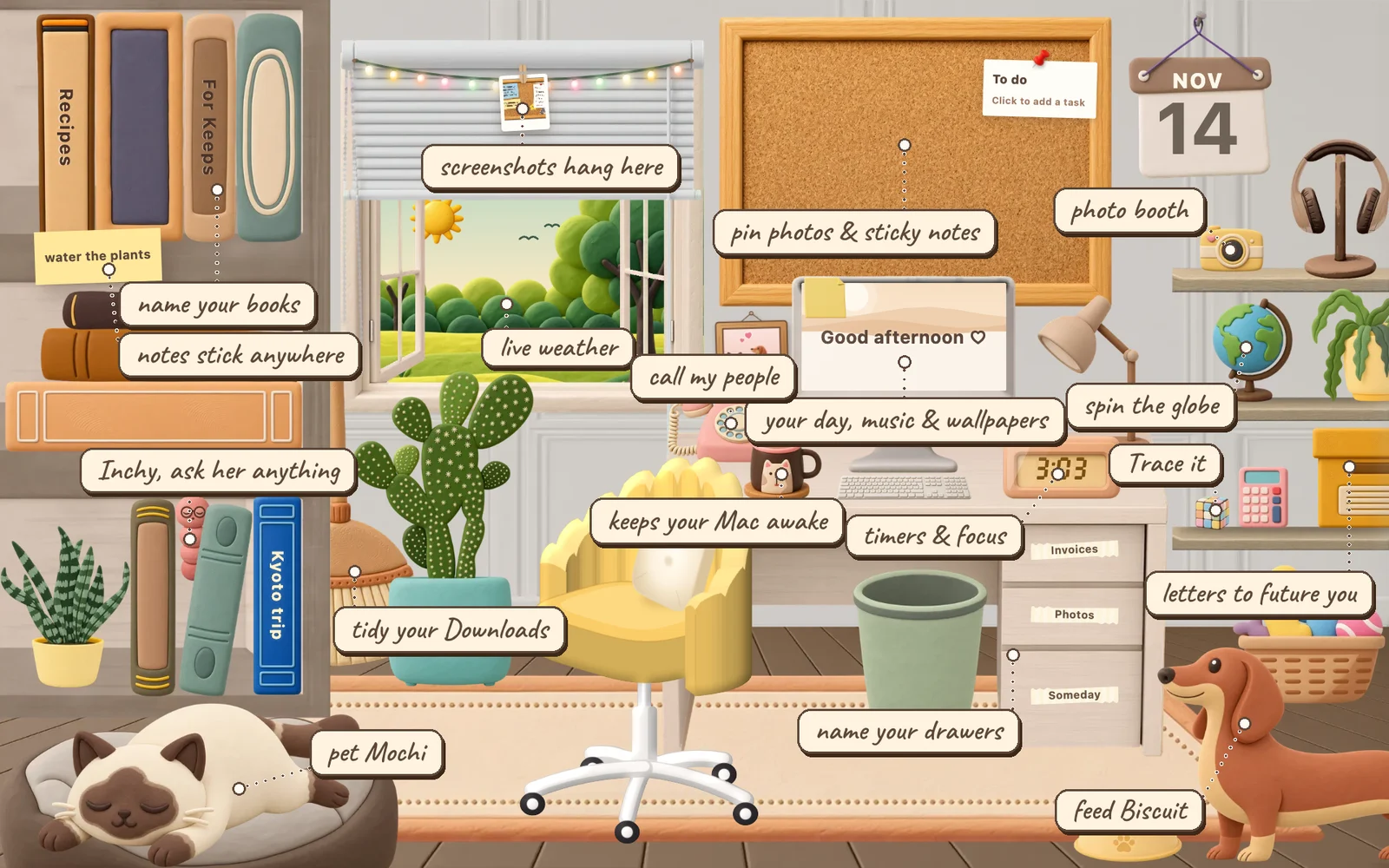
The whole room with little labels on everything you can click
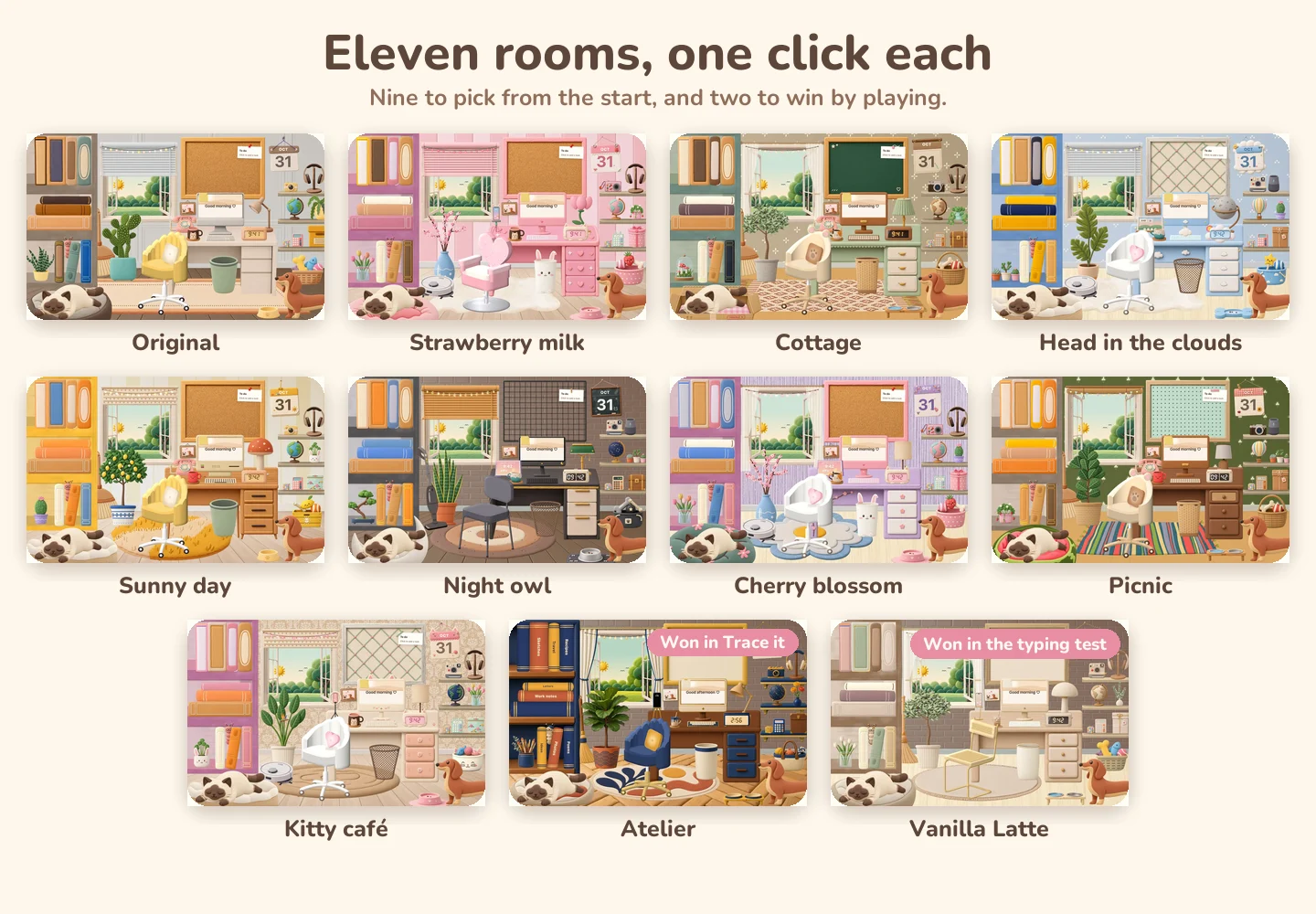
Eleven room themes side by side, two of them won by playing
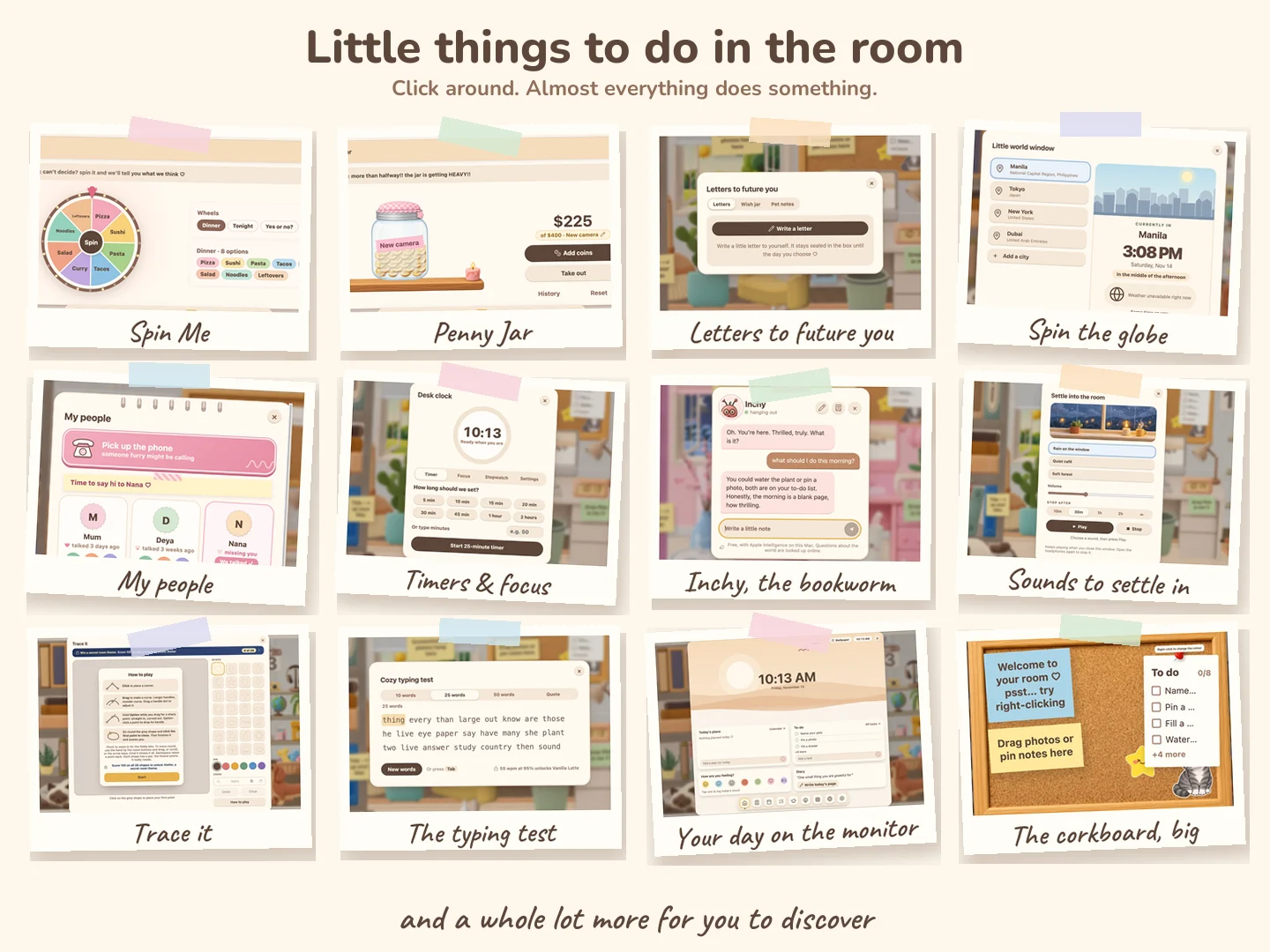
Twelve little features of the room as polaroids: Spin Me, Penny Jar, letters to future you and more
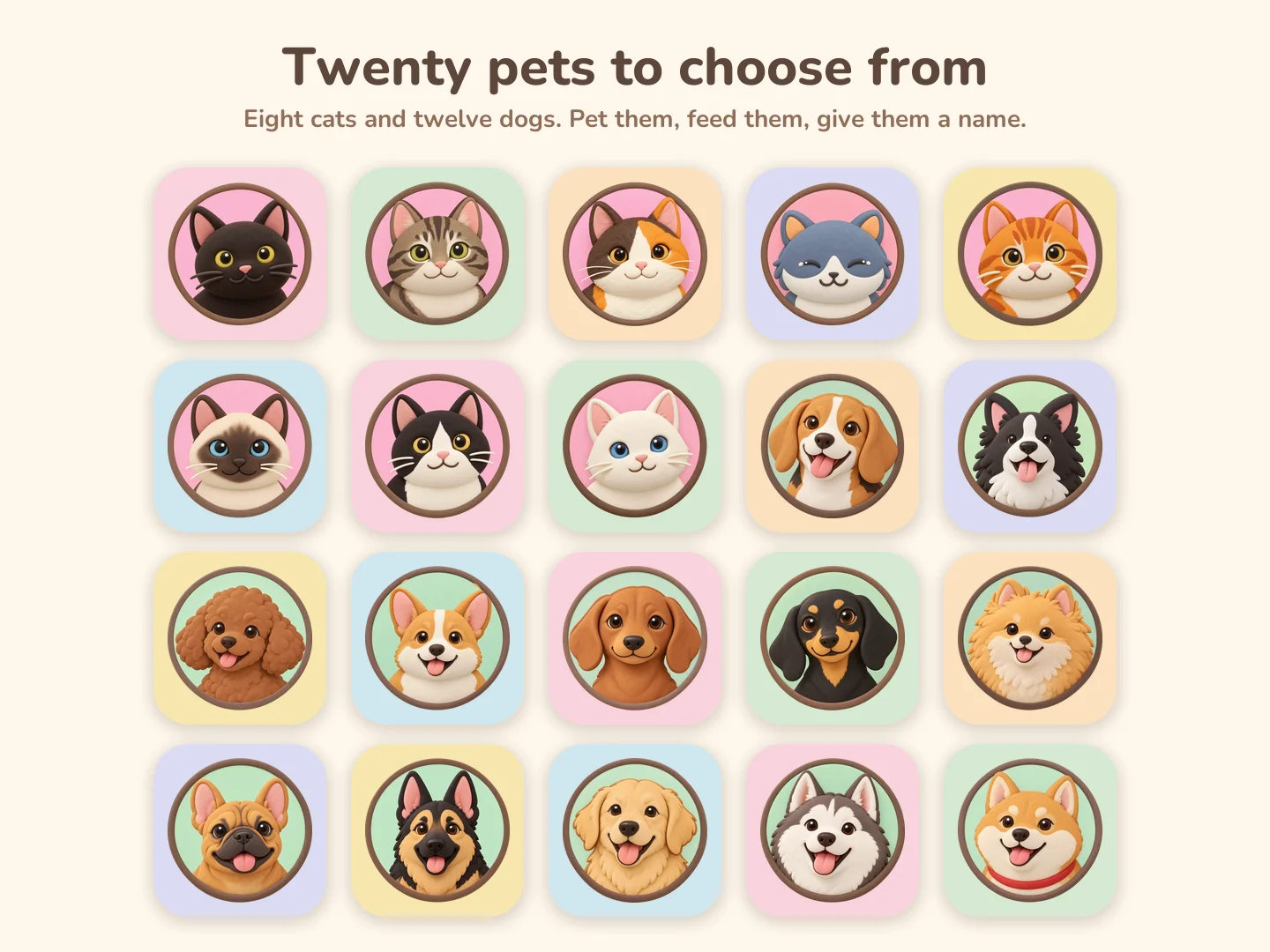
All twenty pets: eight cats and twelve dogs

One minute in the room

Everything stays on your Mac: no account, no cloud, no tracking.
Optimized for Mac, too: it rests at 0% CPU and sleeps when your screen does.

Set up in a minute

  1. Get it on Gumroad. Your receipt email has the download and your licence key.

  2. Drag Pocket Room onto Applications in the window that opens.
  3. Open it. If your Mac says it can't verify Pocket Room, click Done, then go to System Settings, Privacy & Security and click Open Anyway. Only the first time.
  4. Paste your licence key and follow the short welcome.

Stuck? Write to cozyroomsupport@gmail.com and I'll help.
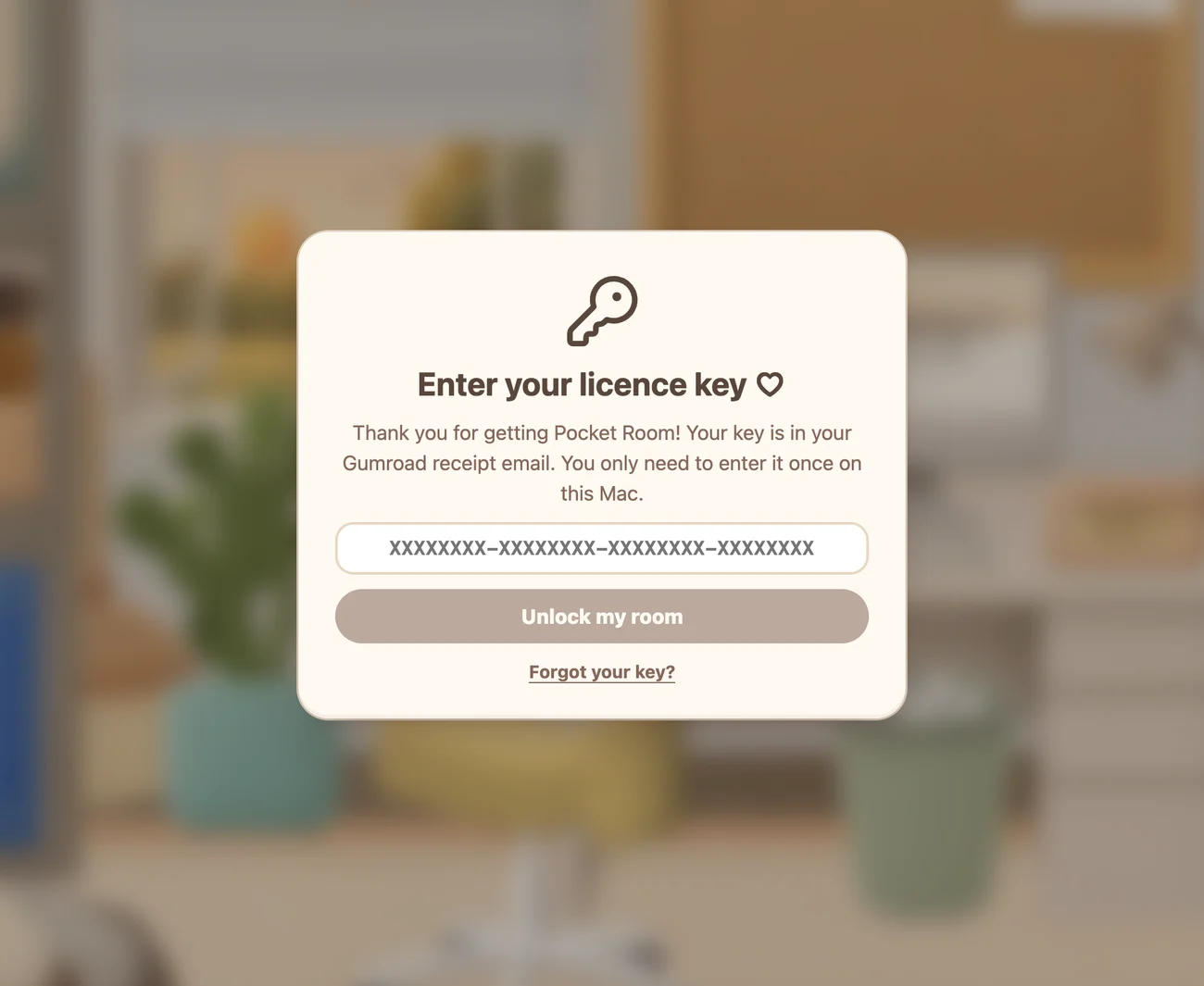
Pocket Room asking for the licence key from your Gumroad receipt

You asked

Will it slow my Mac down?

No, I promise. The room knows when you're busy. Open another app, or leave the mouse alone for a few seconds, and it quietly settles down and sits there like an ordinary wallpaper, at 0% CPU. When your screen goes dark, your Mac locks, or something goes full screen, it has a little nap. Your timers, focus sessions and the meeting bell keep counting the whole time, so nothing you set is ever missed.

Is my stuff private?

Yes. Everything stays on your Mac. No account, no cloud, no tracking, nothing uploaded. Inchy runs on Apple Intelligence on your Mac too.

Is it a wallpaper?

Yes, a live one. It sits on your desktop layer, behind every window, so it's there whenever you close or move them. Unlike a normal wallpaper, you can click everything in it.

Which Macs does it work on?

Any Mac with an Apple chip, on macOS 13 or later.

Is it on Windows or iPad?

Not yet. Both are coming, and the buttons above will light up when they do.

Is it a subscription?

No. One purchase, and it's yours. Every update to the 1.x versions is free, and your licence works on the Macs you use.

Can I add my own photos?

Yes. Drop them on the corkboard, the photo frame or a book to make an album. They stay on your Mac.

Can I make it look like mine?

Yes. Eleven room themes, twenty pets, and you can right-click almost anything to change it: the wall, the desk, the mug, the lamp.

My Mac says it can't open it?

Only the first time. Click Done, then open System Settings, Privacy & Security, and click Open Anyway. That's it.

What if I need help?

Write to cozyroomsupport@gmail.com. It's just me, and I answer.